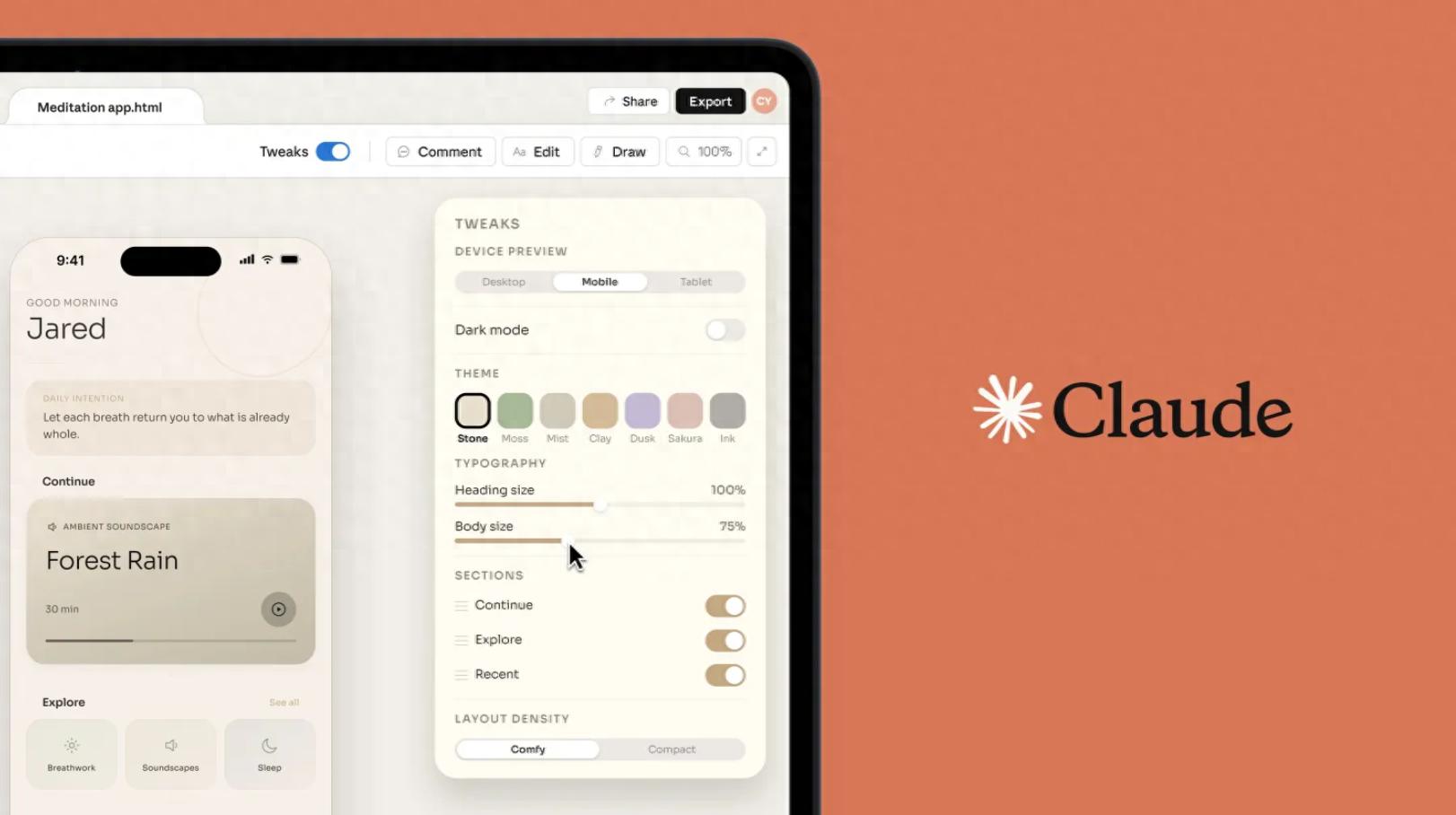
 Claude Design can handle all your design needs.
Whether it’s stunning complex animations or interactive shader wallpaper libraries created with a simple prompt, Claude Design excels.
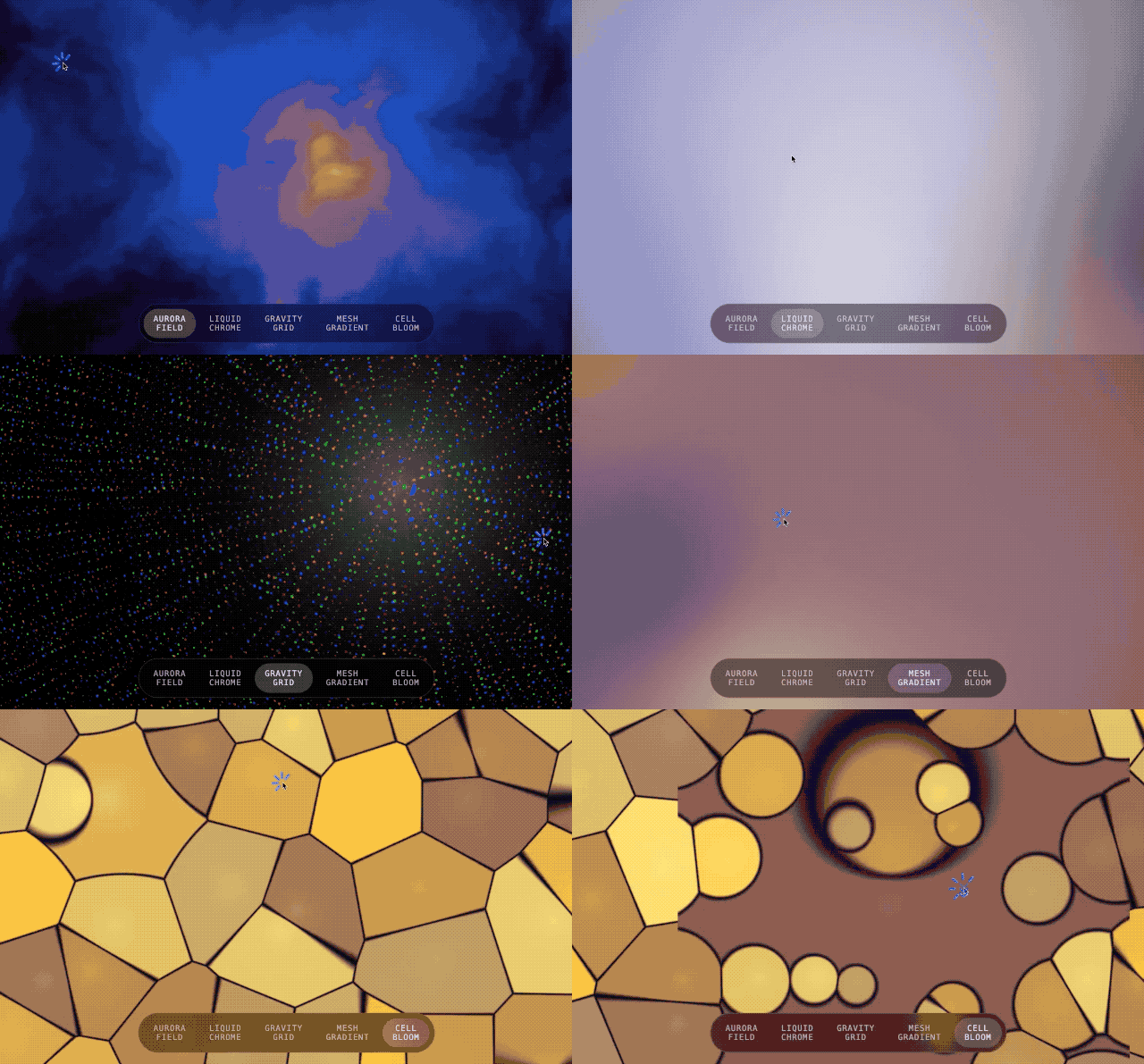 Prompt: Imagine you are designing wallpapers for a futuristic operating system. We want it to be interactive and engaging. Please create five different interactive shader wallpapers that respond to mouse position and clicks.
Claude Design can also create typing effects and text explosions during the app development process.
With just one prompt, Claude Design can design 11 types of text flow formats, including typing effects, fading words, sliding words, character blurs, and more.
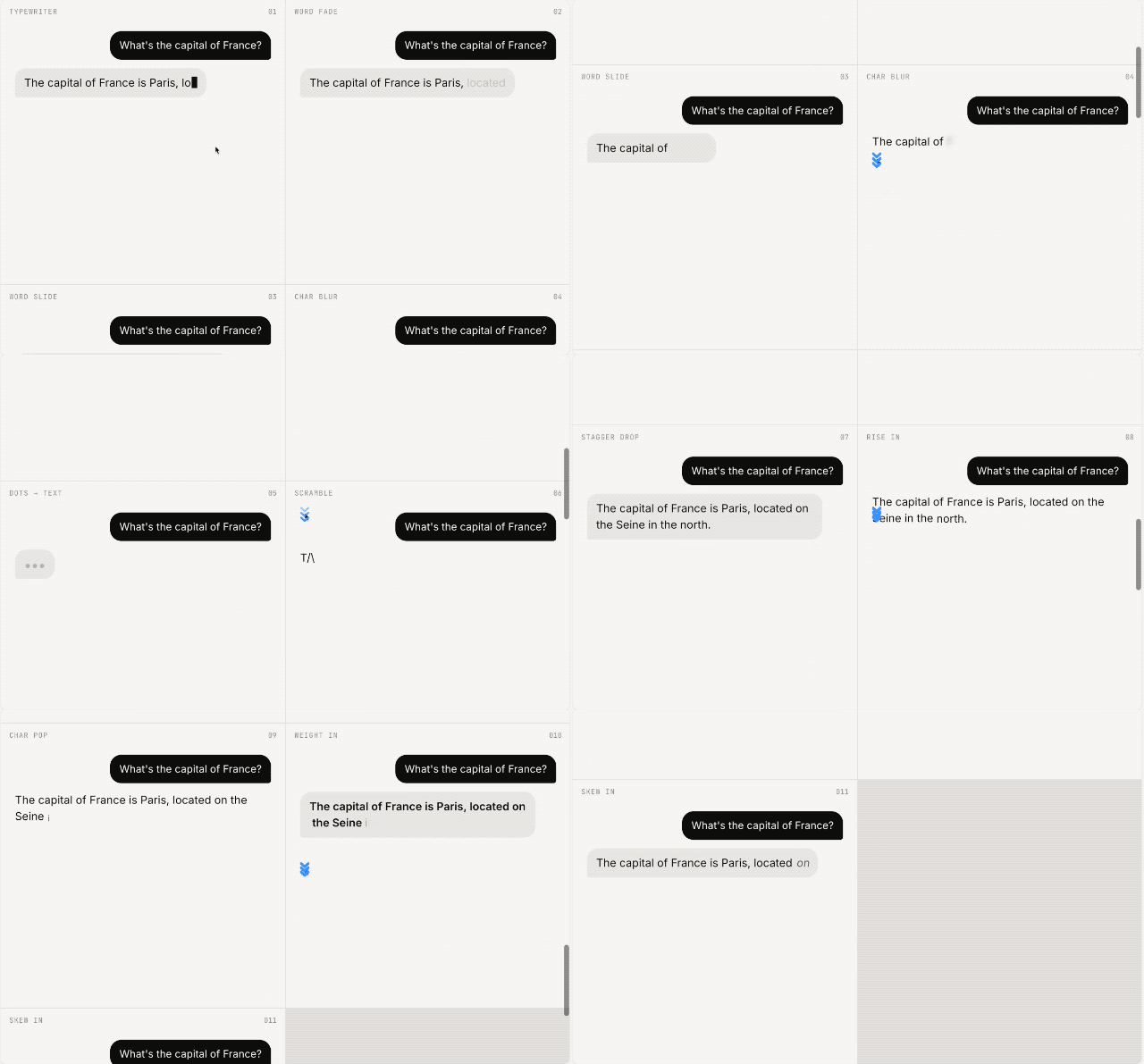 Create 10 different text flow animations for a chat application in a responsive grid, displaying each animation in 300×300 cells, showing user questions and responses below, and looping in monochrome.
Claude Design implements text particle effects, adding visual effects for words like Fire, Smoke, Metal, Wind, and Snow.
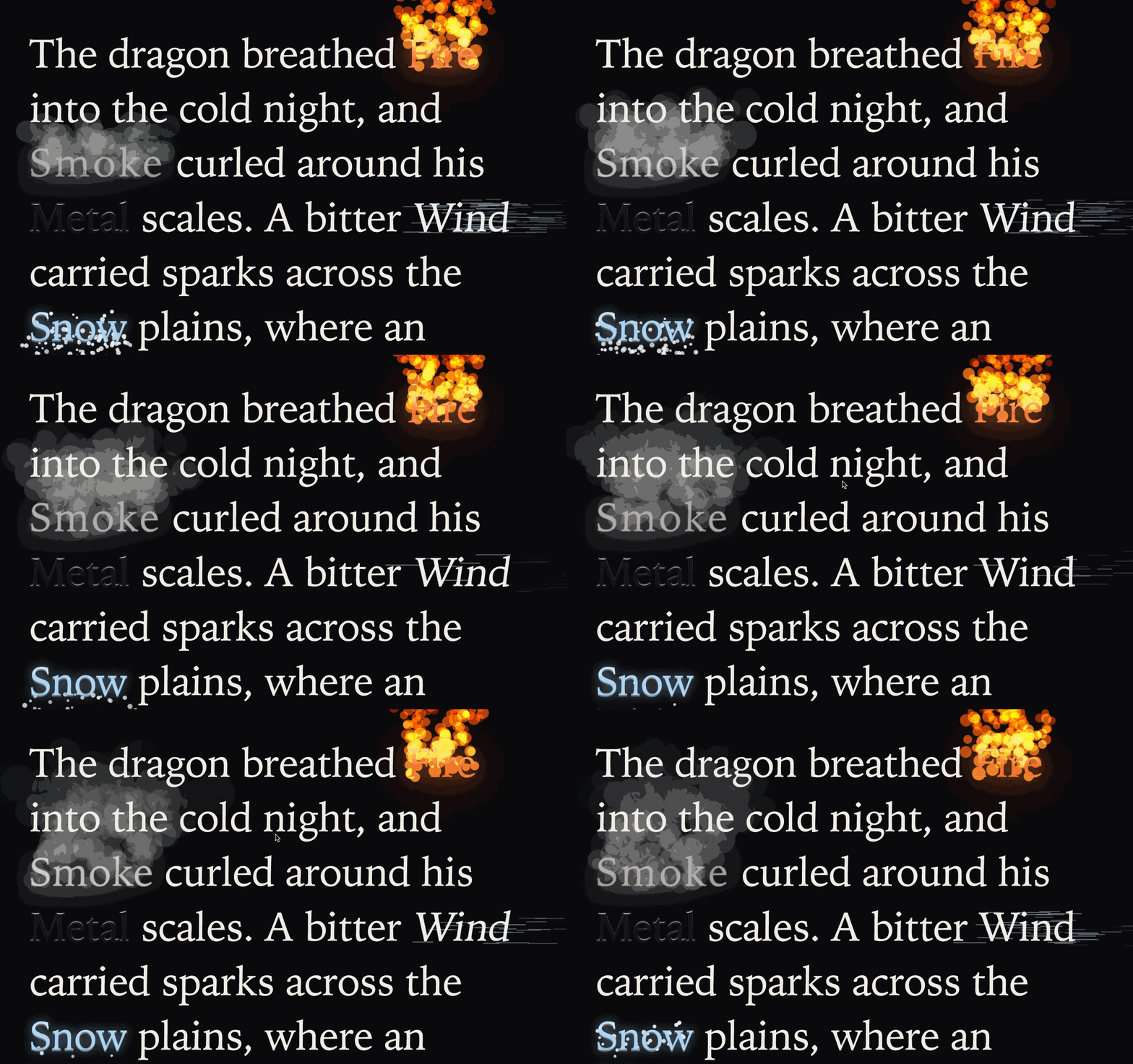 Prompt: Create a large editable text box pre-filled with example text. For certain words like “Fire,” “Smoke,” “Metal,” and “Wind,” render corresponding visual and particle effects.
The launch of Claude Design has reportedly caused a drop in Figma’s stock price because it allows for high-quality prototyping without manual intervention.
To create a simple iOS registration flow for a bike-sharing app, users previously had to find the corresponding iOS app kit and think of suitable color schemes and layouts. Now, Claude Design can produce deliverable solutions directly.
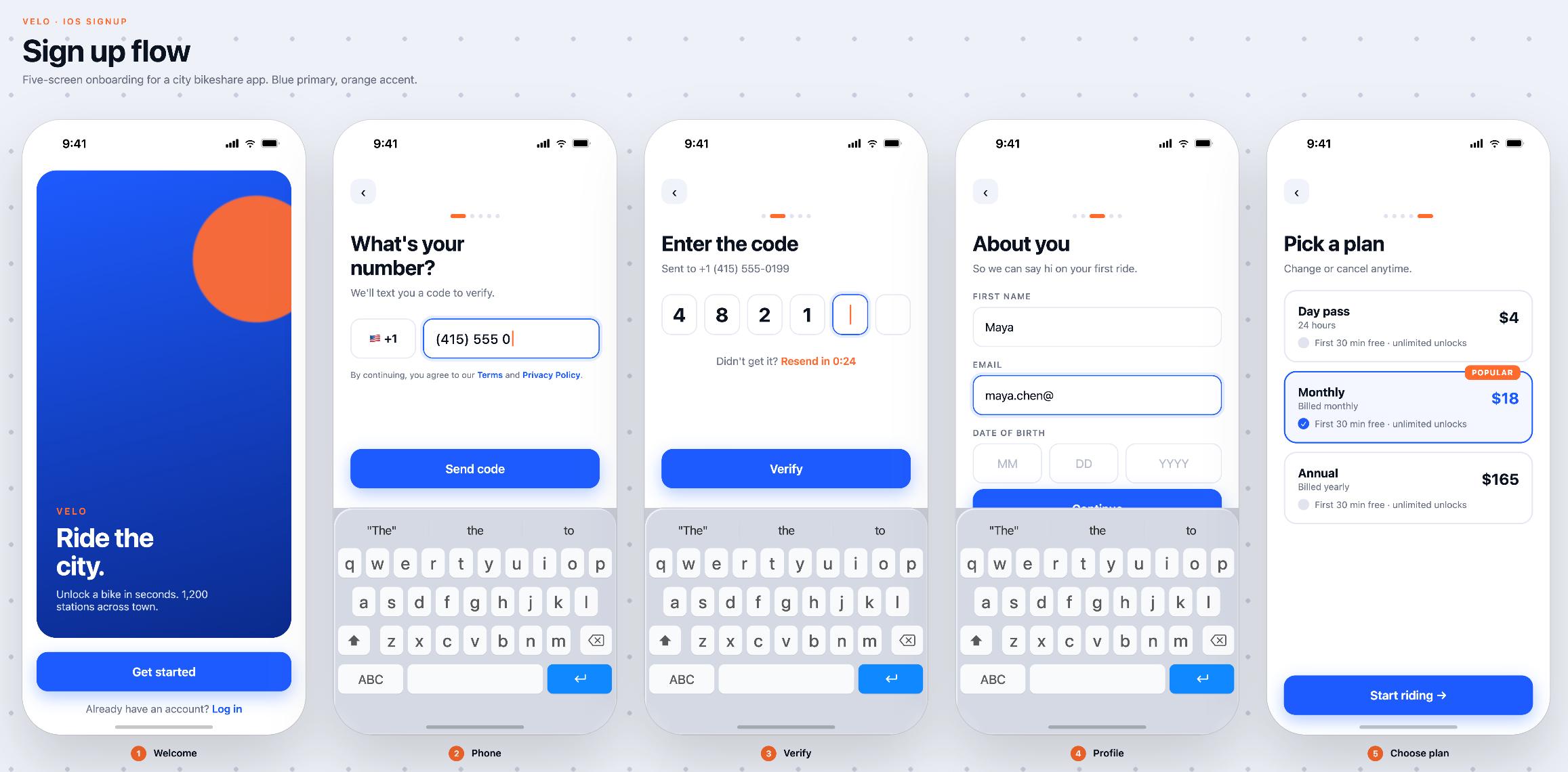 Prompt: Create a simple iOS registration flow for a bike-sharing app, displaying the interface on the canvas with a modern blue and orange color scheme.
We found the most comprehensive ways to use Claude Design and a beginner’s guide to get started. Claude’s recent update has made previous tools for creating PPTs and beautiful web designs seem outdated.
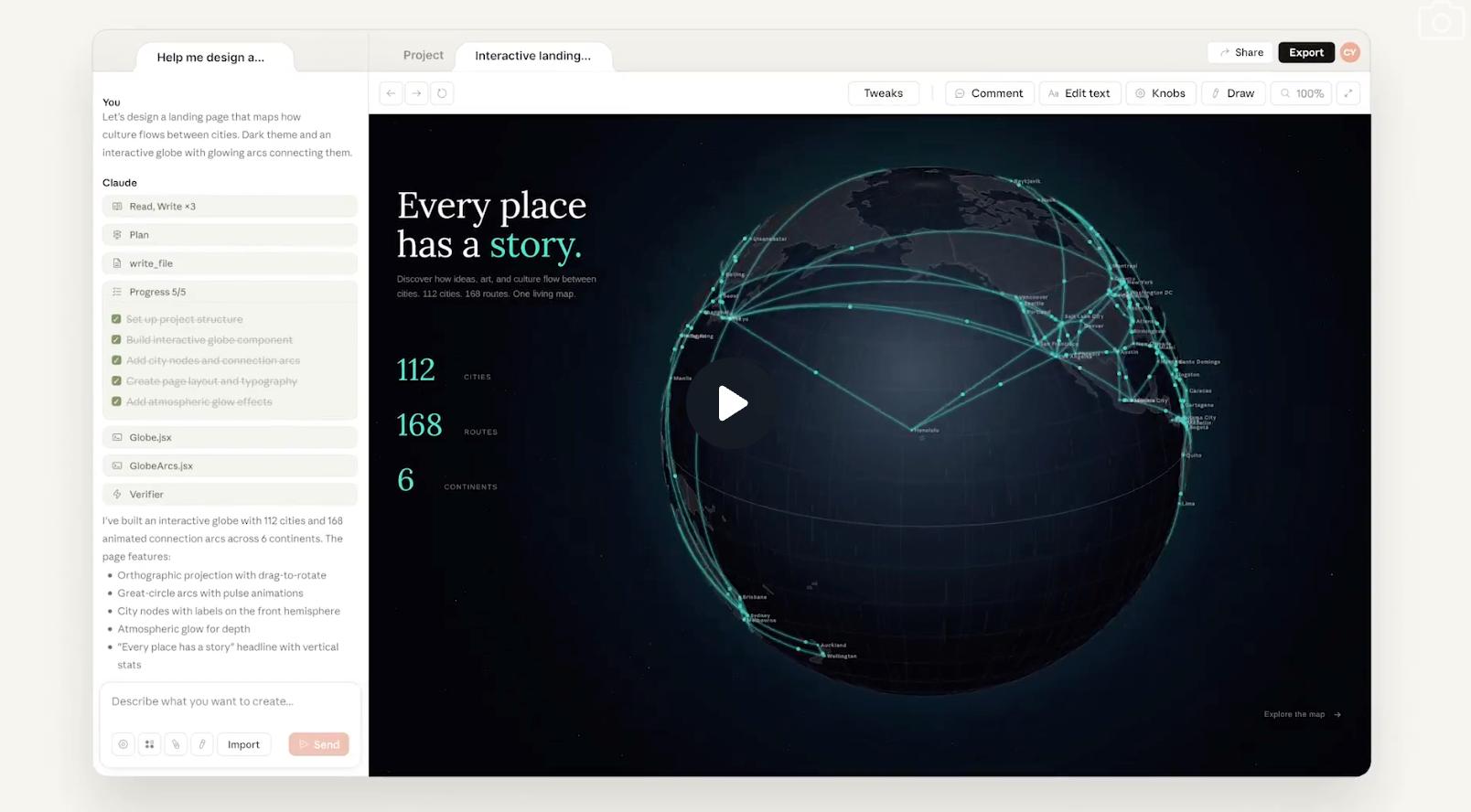 Claude Design experience can be accessed at: https://claude.ai/design
Real Vibe Coding Launched
Having AI create a webpage seems to be a crucial test of model coding capabilities. Some agent products optimize existing models to control outputs for more accurate webpage designs.
However, with Claude entering the design agent space, it leaves little room for other products.
Users have created high-quality company websites with just one sentence, generating beautifully designed UI content with advanced color combinations and scene-appropriate animations, far surpassing other products.
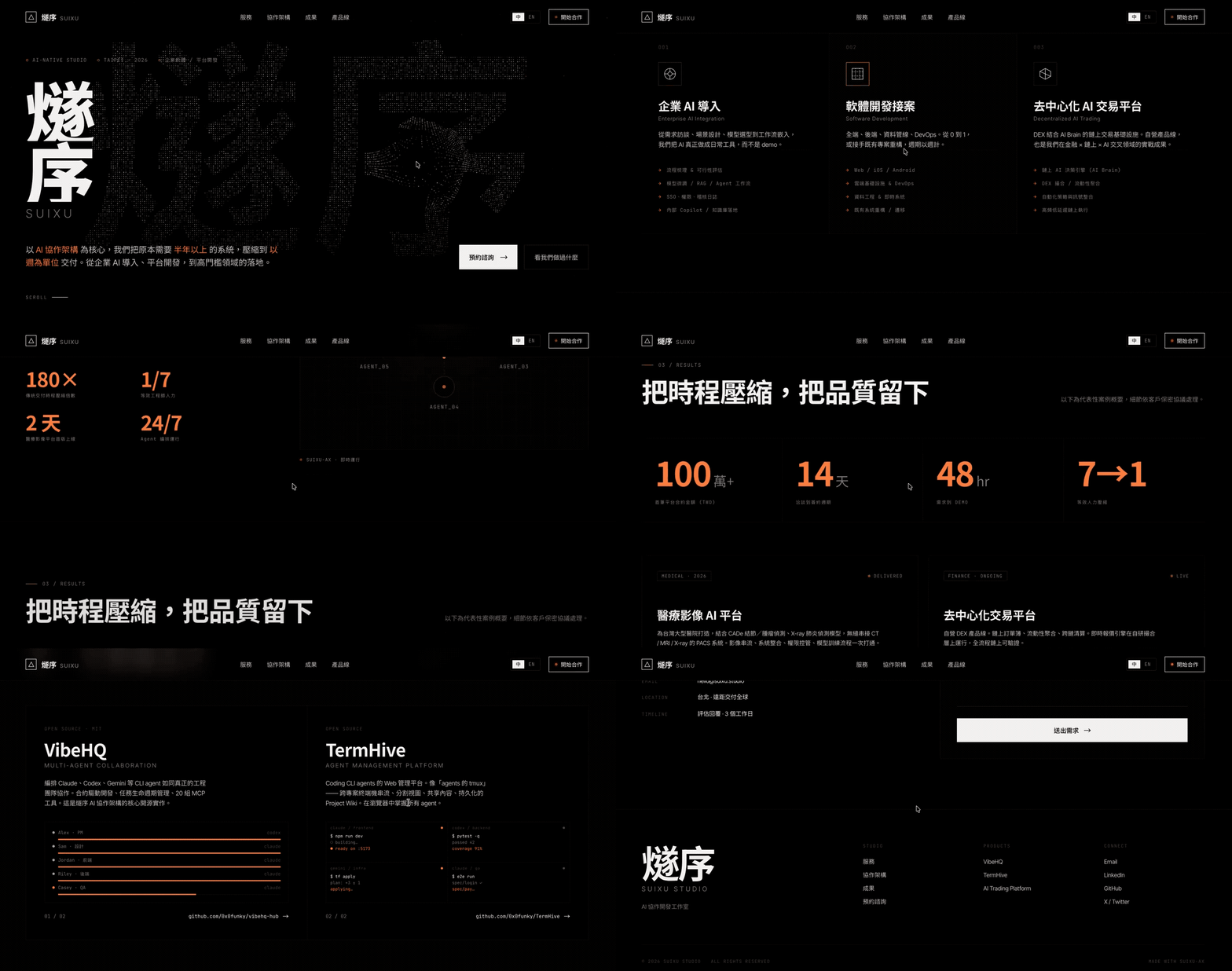
Claude Design-generated webpages can seamlessly connect to Claude Code for project optimization and iteration.
In addition to landing pages, users have generated personal dashboards that display daily schedules, health information, and to-do lists on a single page, automatically switching between night and day modes.
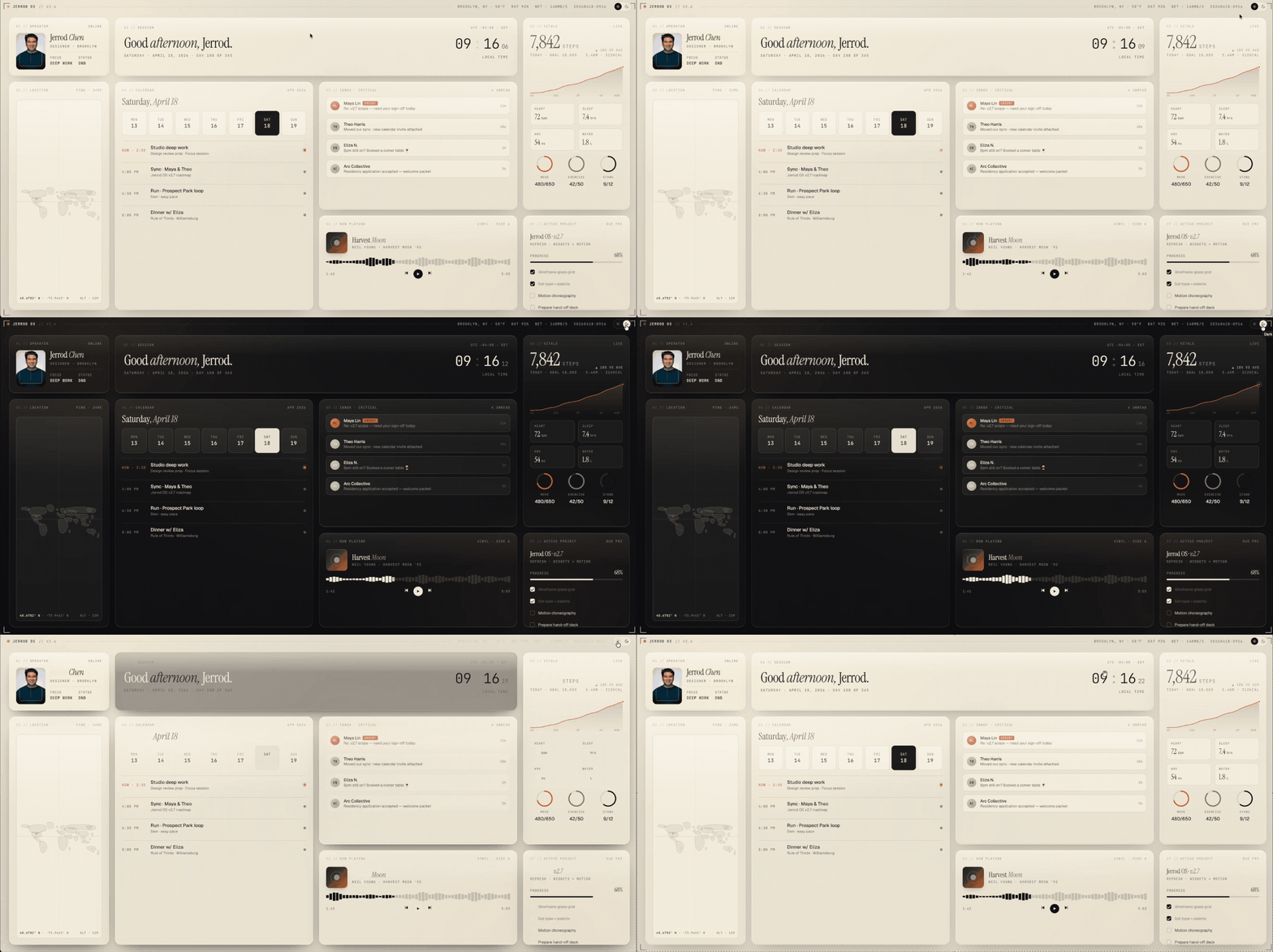
Functional webpages generated by Claude Design automatically arrange information and present it with high-quality UI design. For purely showcase webpages, Claude Design outperforms other tools.
For example, a globe loading system can be created with just one prompt.
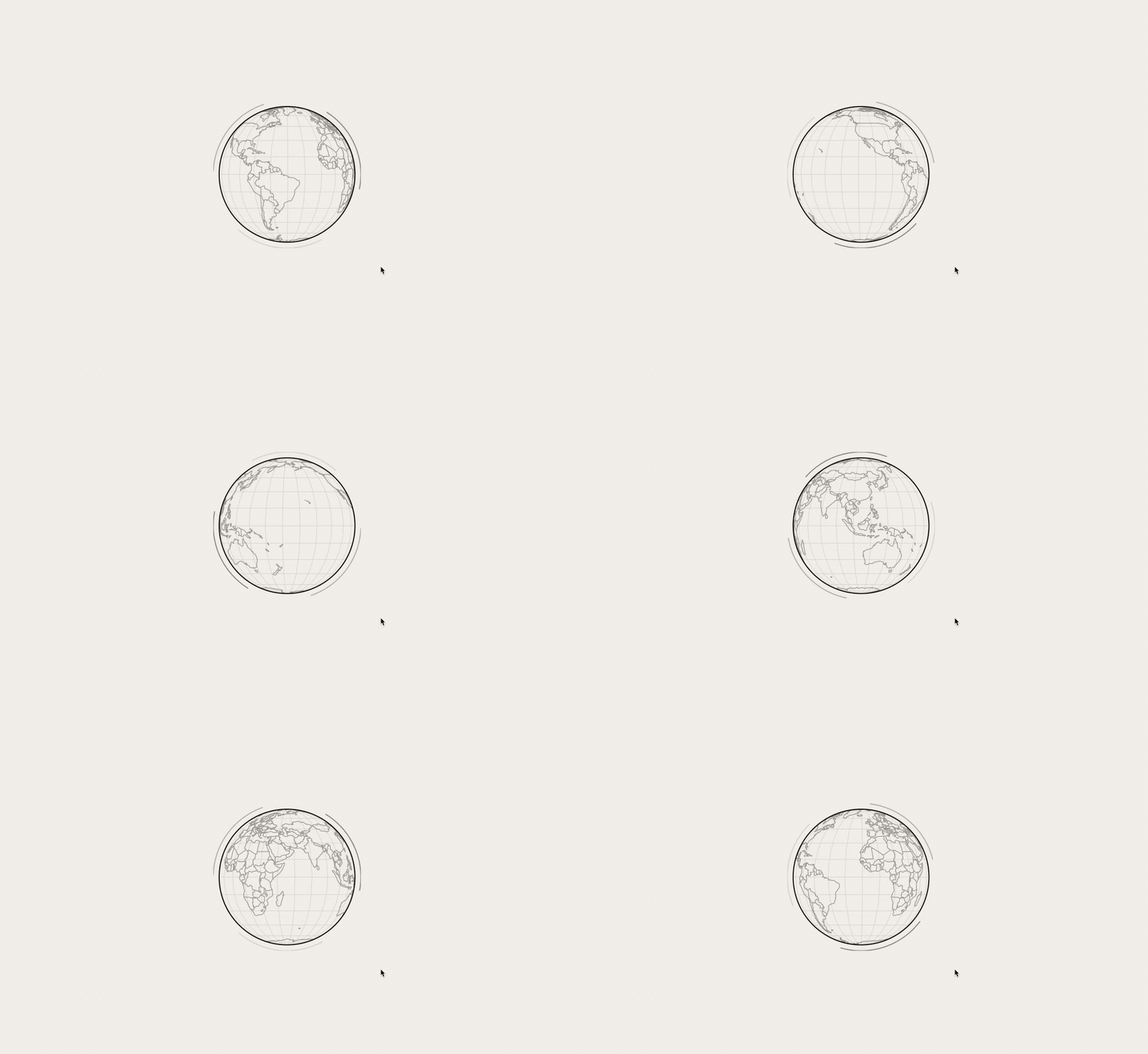 Prompt: Design a loading indicator prototype showing a rotating globe with real regional outlines, monochrome, no text, sized 200×200, centered on a beige background, with a rotation effect.
Beyond Design: Creating PPTs for Professionals
Users have shared their experiences using Claude Design to create PPTs, with a dedicated feature for generating Slide Decks.
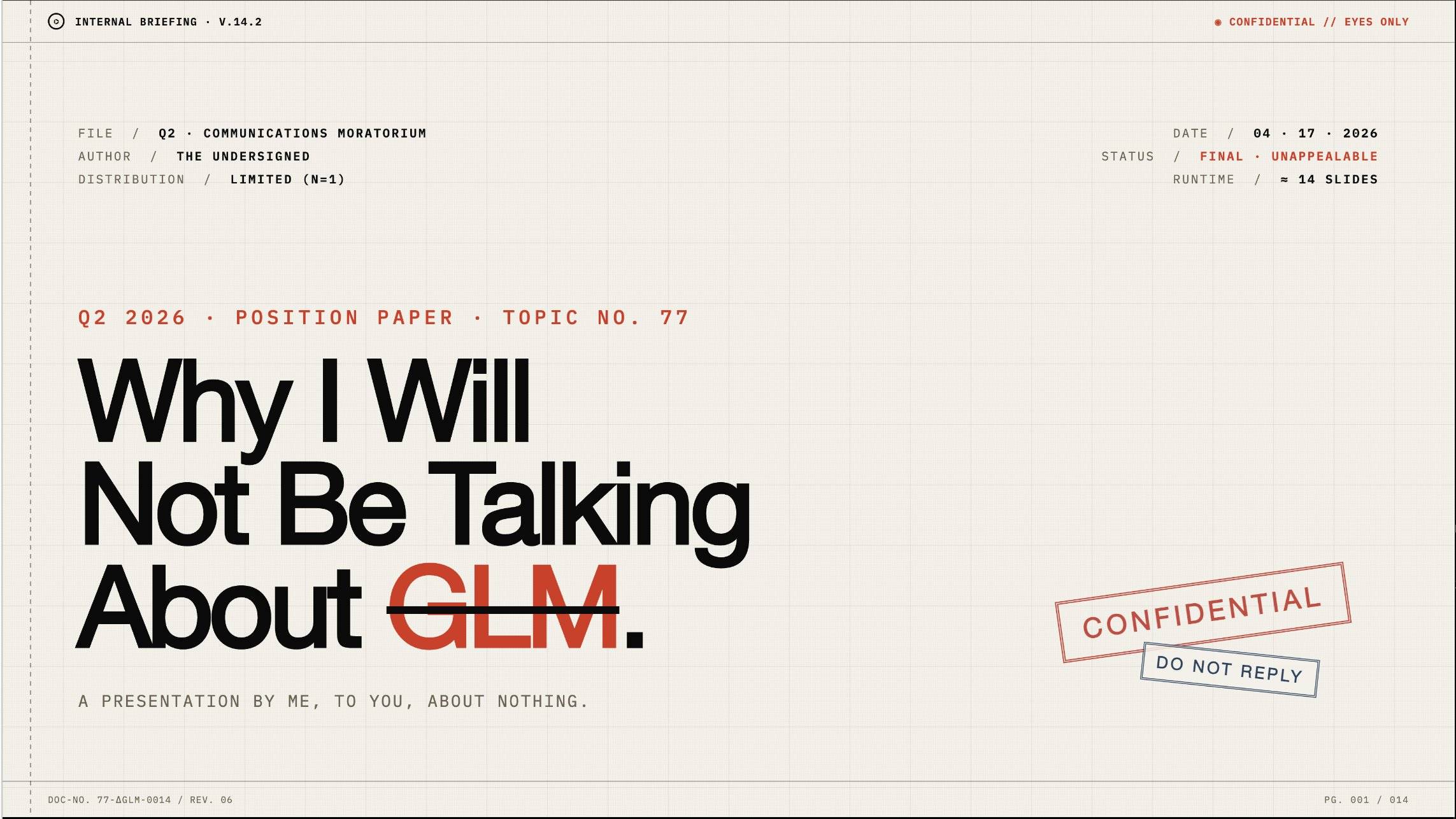 Image Source:
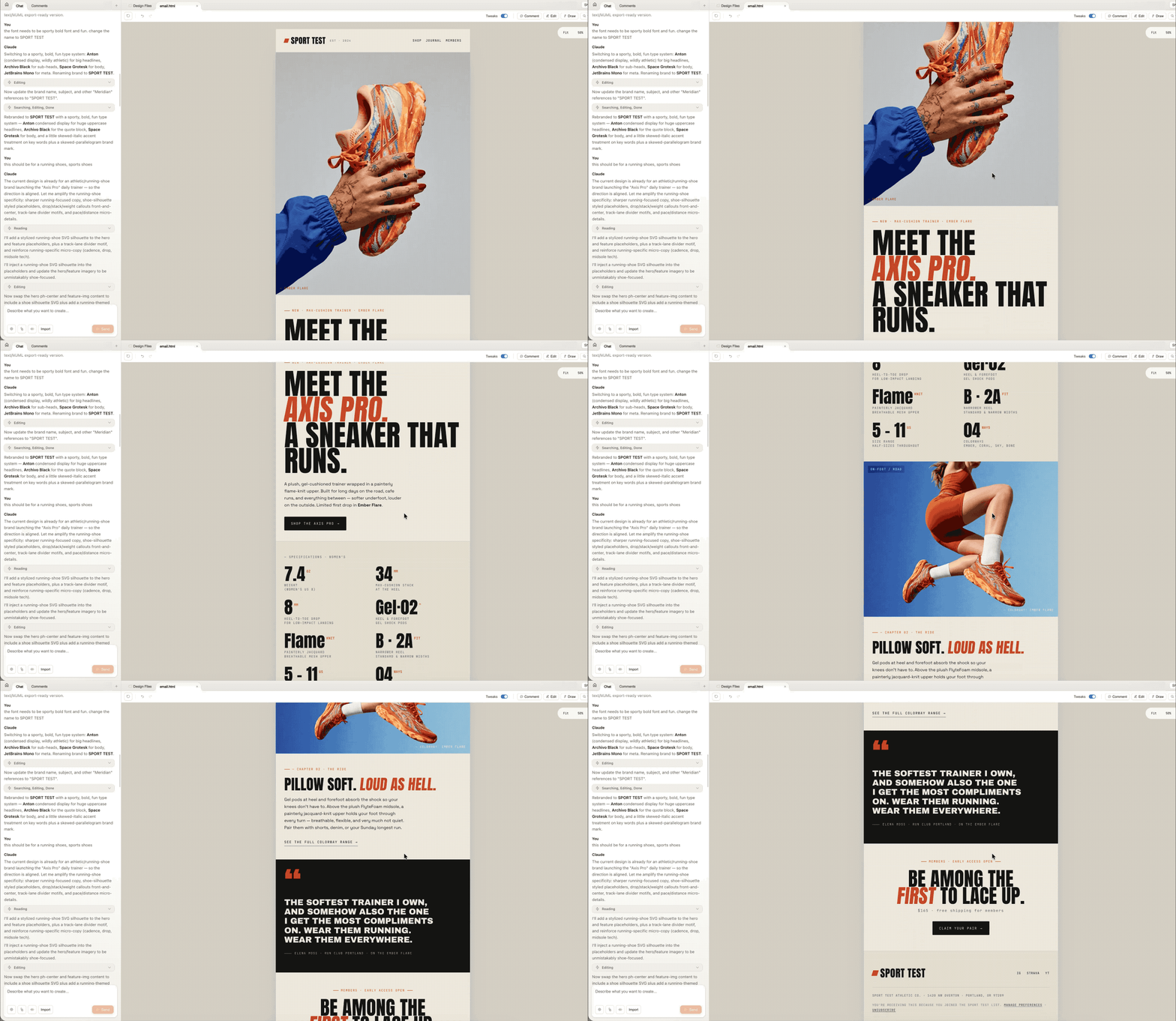
Other office scenarios, such as designing marketing emails, can be handled by uploading images and advertising information to Claude Design, which will automatically arrange all content. After simple iterations, users can get ready-to-send advertising emails.
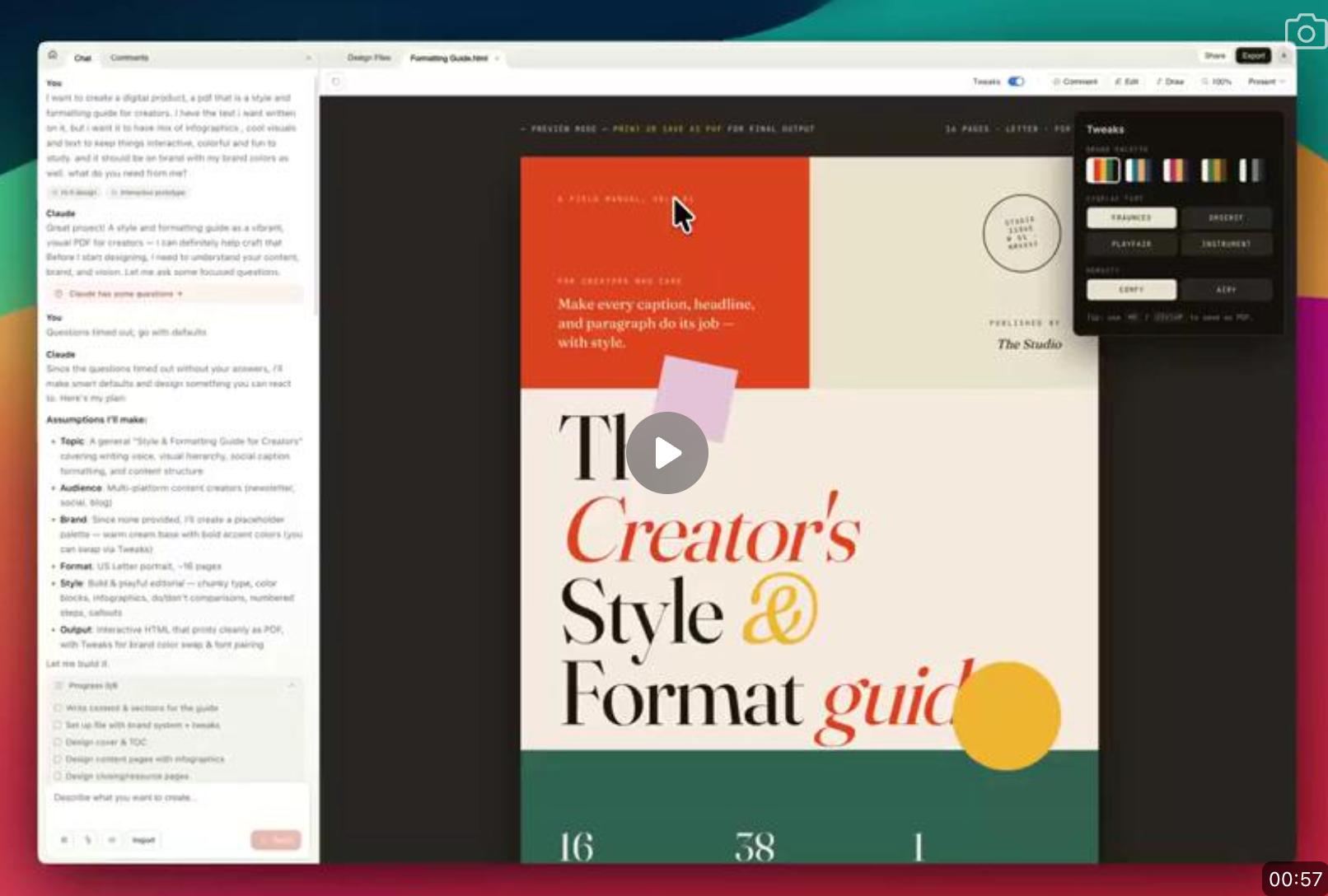
Some users have designed electronic guides using Claude Design, completing the entire book design with just one prompt.
Product, UI Design, and Prototyping
In software development, front-end developers typically implement ideas from product managers and designers. While AI Coding has suggested that “front-end is dead,” design “taste” cannot be replaced.
Now, Claude Design + Claude Code aims to encompass design, product management, and front-end development, ensuring generated content has “taste.”
Prototypes are simple frameworks that product managers use to visualize page layouts and interactions before a product is finalized.
Many users have shared their app prototypes created with Claude Design, showcasing various user-friendly and visually appealing examples.
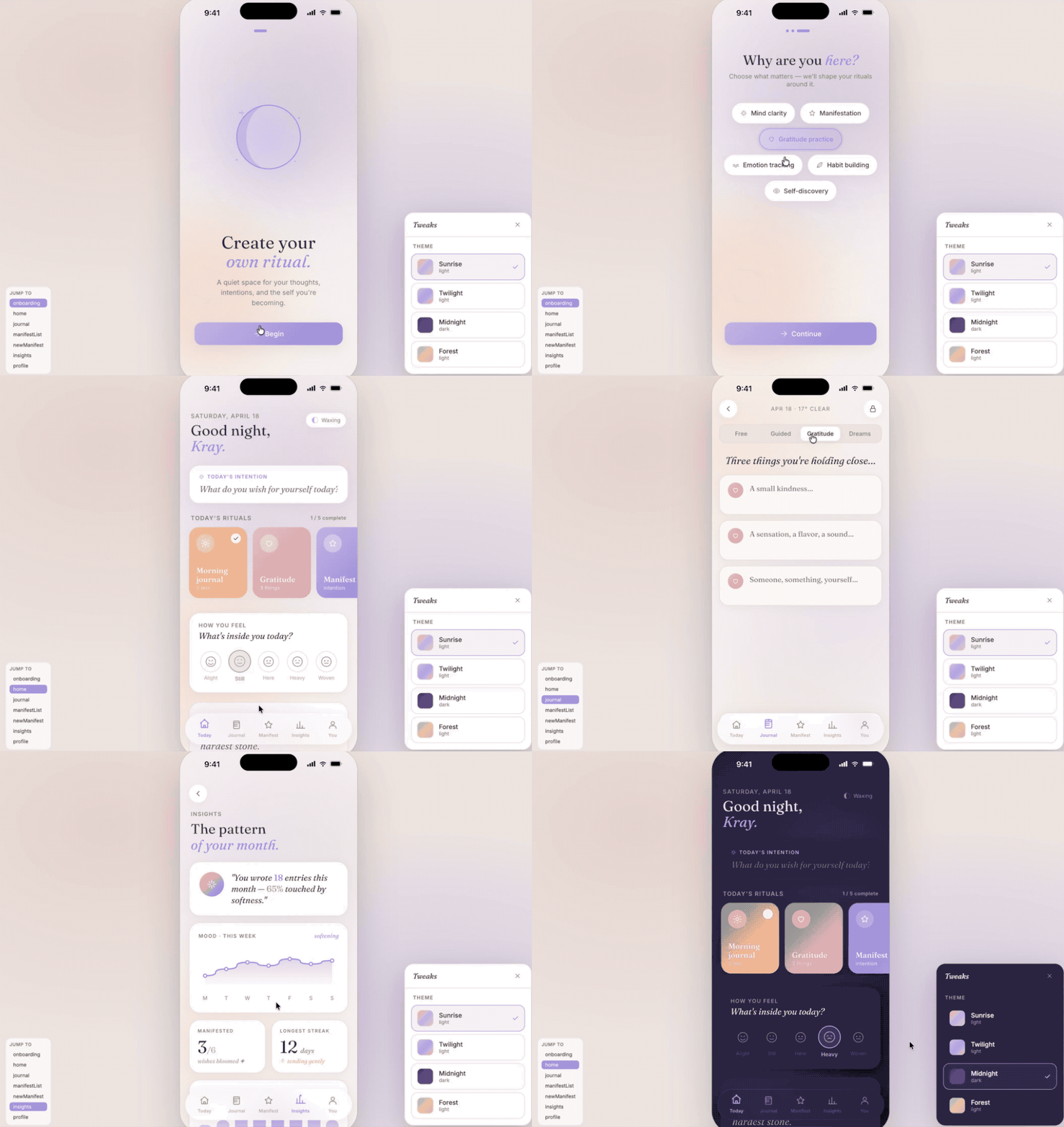
Some prompts include designing an app named “Lumi” for iOS and Android focused on spiritual health, with high-resolution models in light and dark modes, interactive prototype flows, and design system documentation.
Regardless of the app type, Claude Design finds the most suitable design solutions. Some users designed a gamified life management app with classic heat maps, achievement levels, and detailed course content.
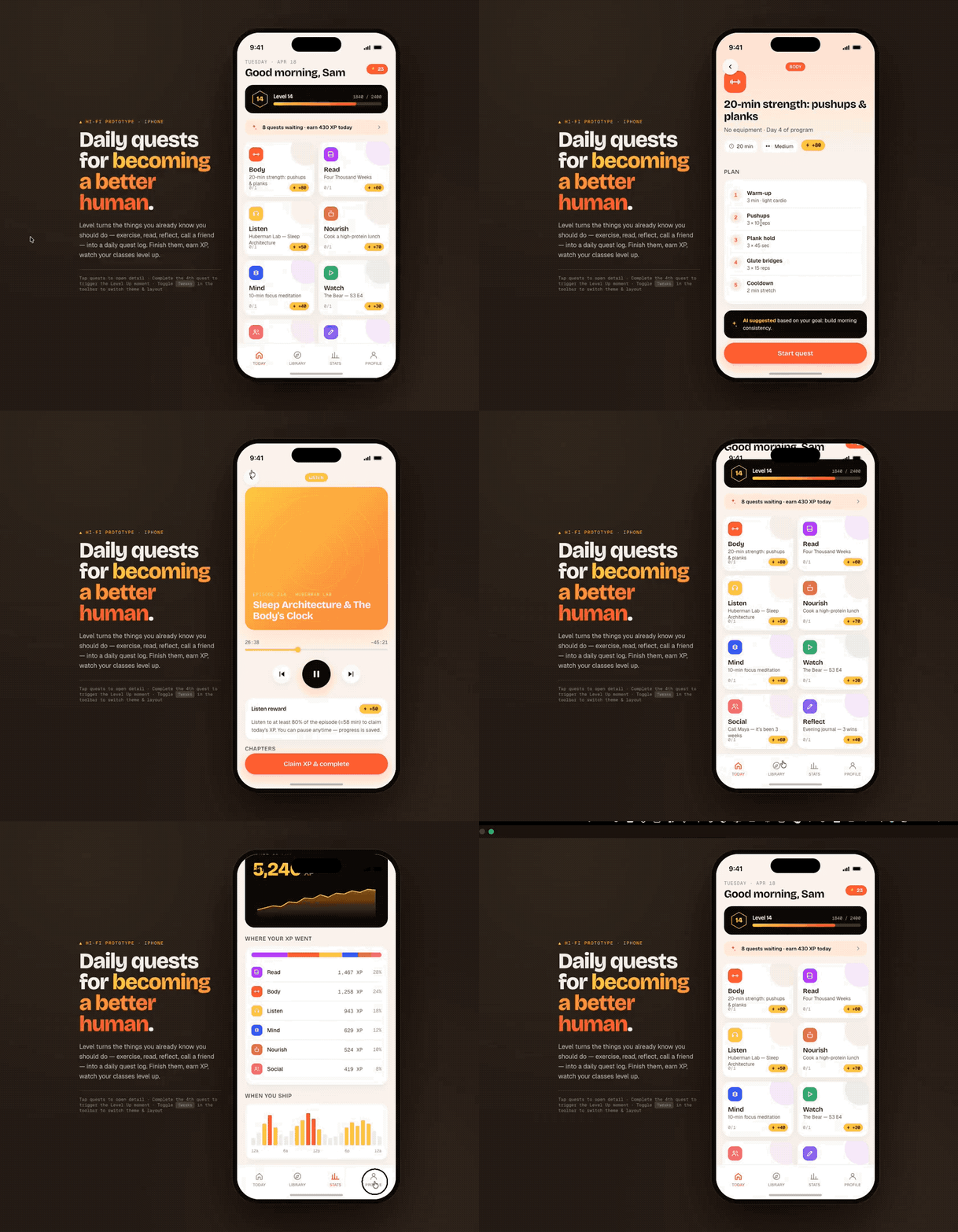
Video Animations Generation
With powerful coding capabilities, Claude can combine different animation libraries to generate various animations. For example, in Claude Design’s official case studies, they used a prompt to create a simulation animation of cosmic movement.
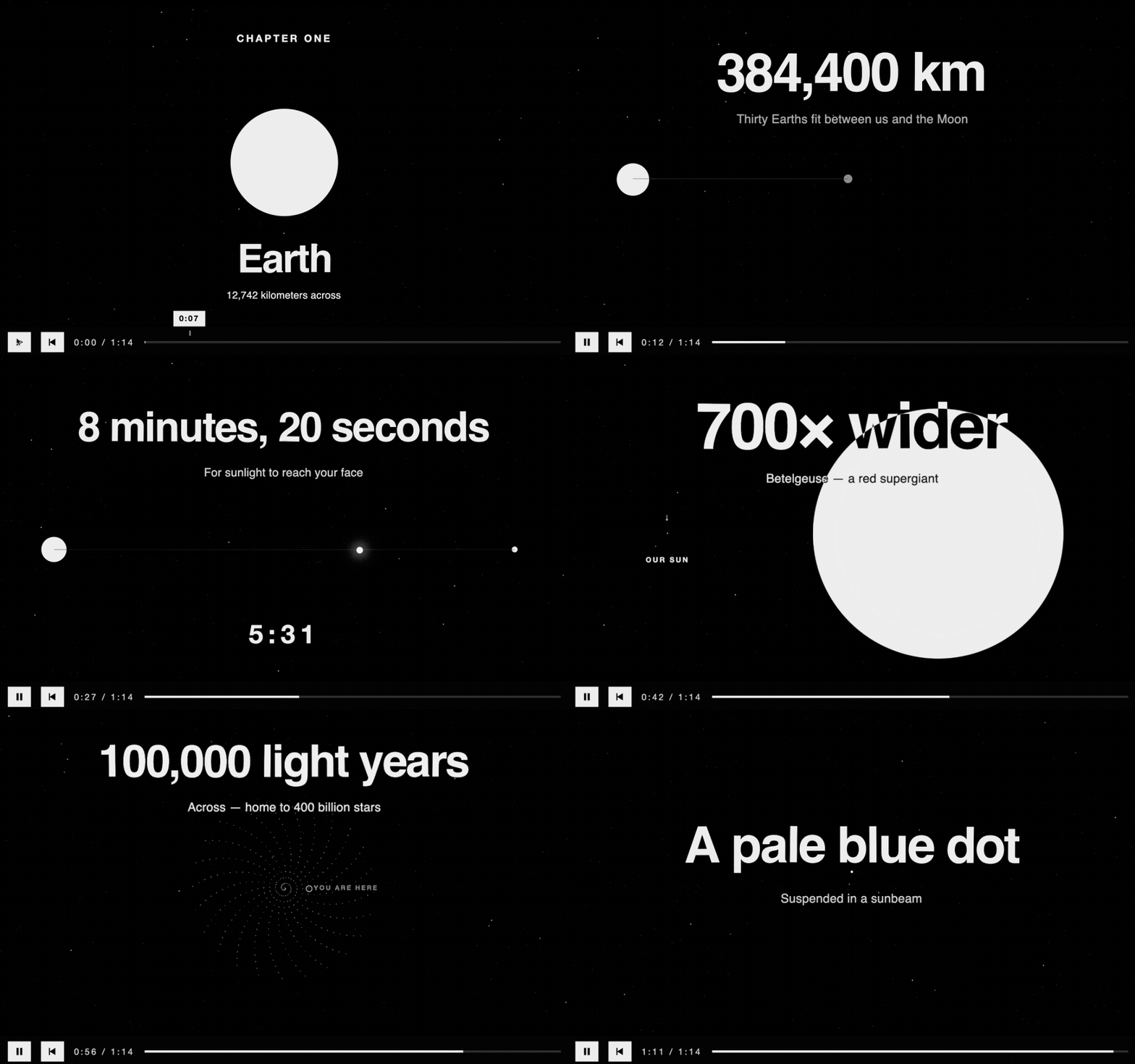 Create a sprite-based animation providing fun facts about celestial distances and sizes, using different-sized circles as abstract animations combined with text animations in monochrome and Helvetica font color schemes.
Users have also prompted Claude to create animations about Nintendo’s history, combining various animations with text animations in a style consistent with Nintendo’s branding.
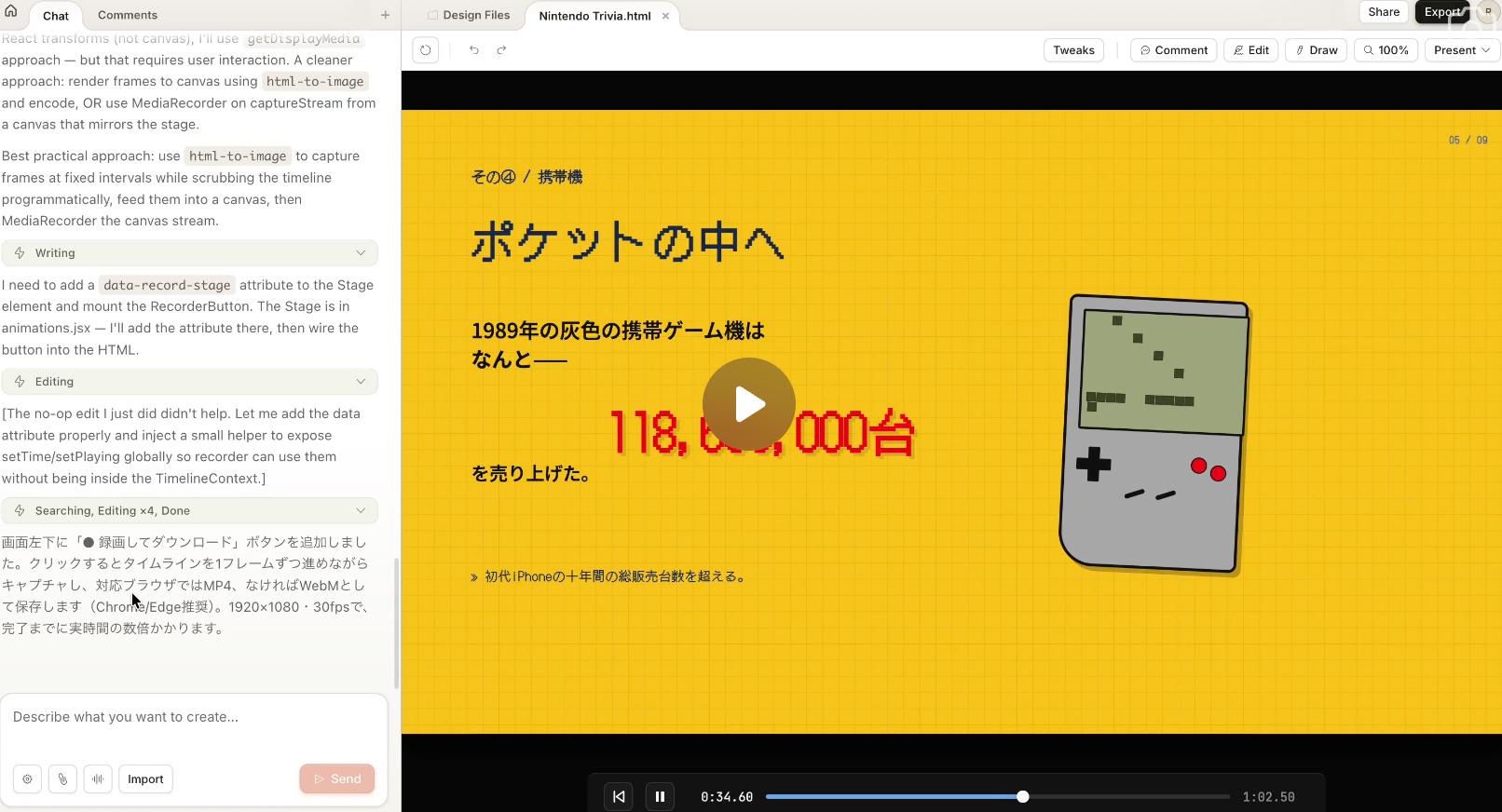
The final animation not only detailed Nintendo’s history but also used animation design to transition between different pages, lasting 1 minute and 2 seconds.
Some users pasted blog articles and tweets into Claude Design, generating a 30-second animated video.

Sprite sheets are a computer graphics term commonly used in web front-end development, referring to a collection of 2D images integrated into a scene, enhancing animation performance while maintaining rendering efficiency.
Practical Tips and Hands-on Experience
Currently, Claude Design is only available to Pro, Max, Team, and Enterprise subscribers, with a weekly usage limit. After creating three Claude Design tasks, we found that most projects were rich in animation styles, occupying 37% of the weekly quota.
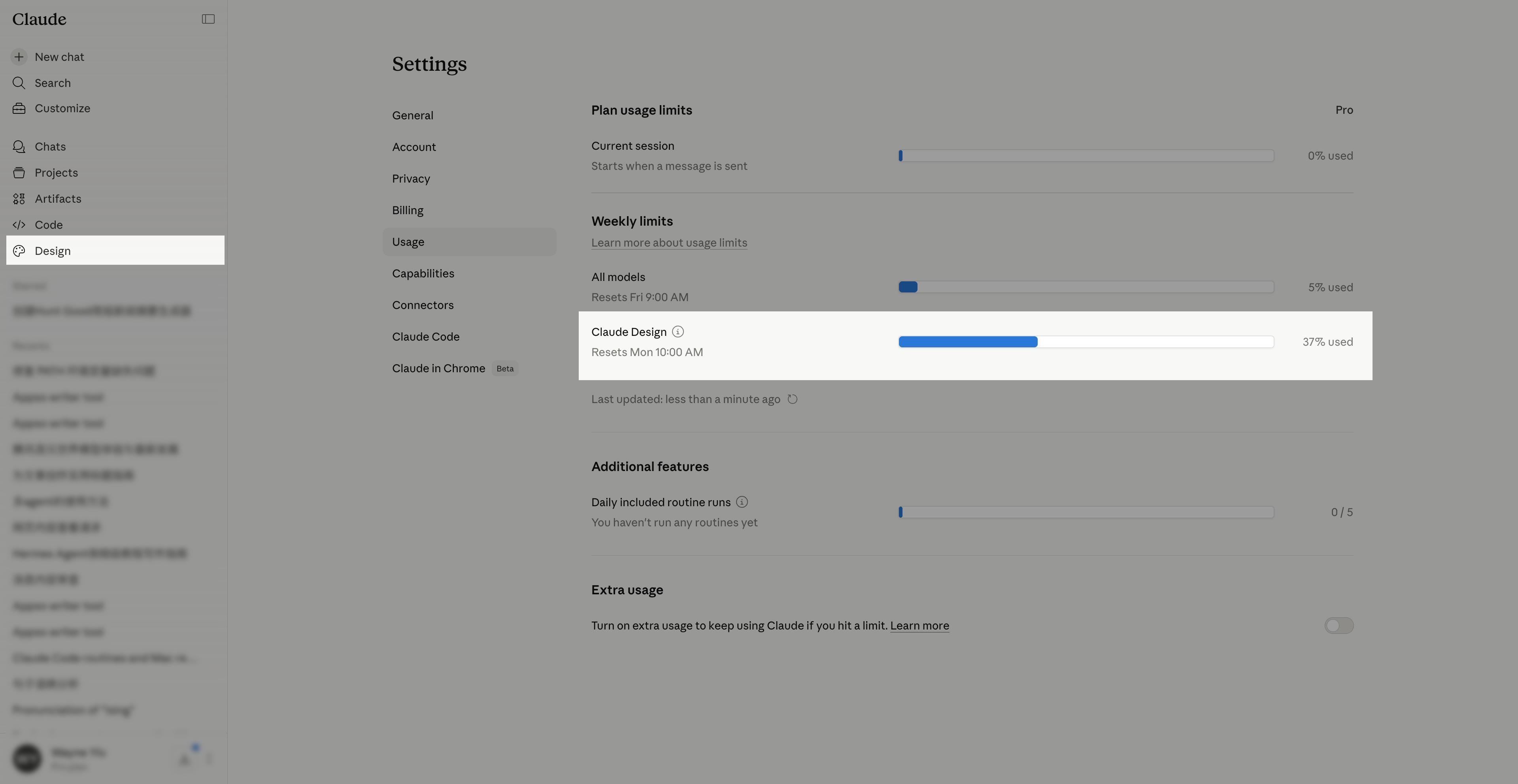 By accessing the Design section on Claude’s sidebar or directly visiting https://claude.ai/design, we can reach Claude Design’s homepage.
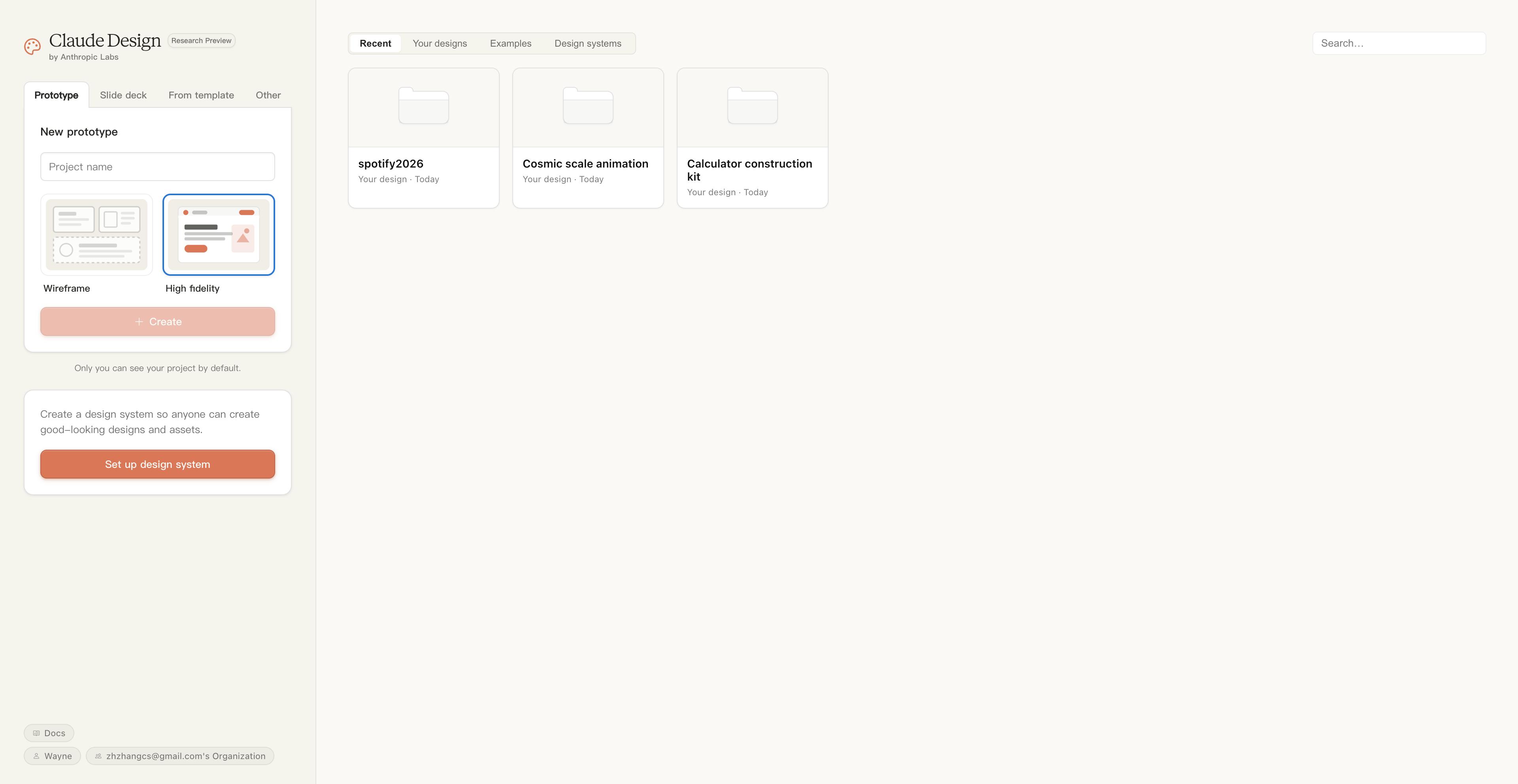 Unlike typical webpage generation tools, Claude does not feature a large dialogue box on its homepage. Instead, it resembles traditional design tools, allowing users to create various projects, prototypes, slides, or start from templates, along with design system settings.
In prototype design, users can choose between wireframes and high-fidelity content, and slides can enable speaker notes and select existing templates.
After entering a project name and clicking create, users arrive at the project homepage. Claude Design provides a dialogue window on the left sidebar, while the right side allows sketching for Claude Design to complete the design.
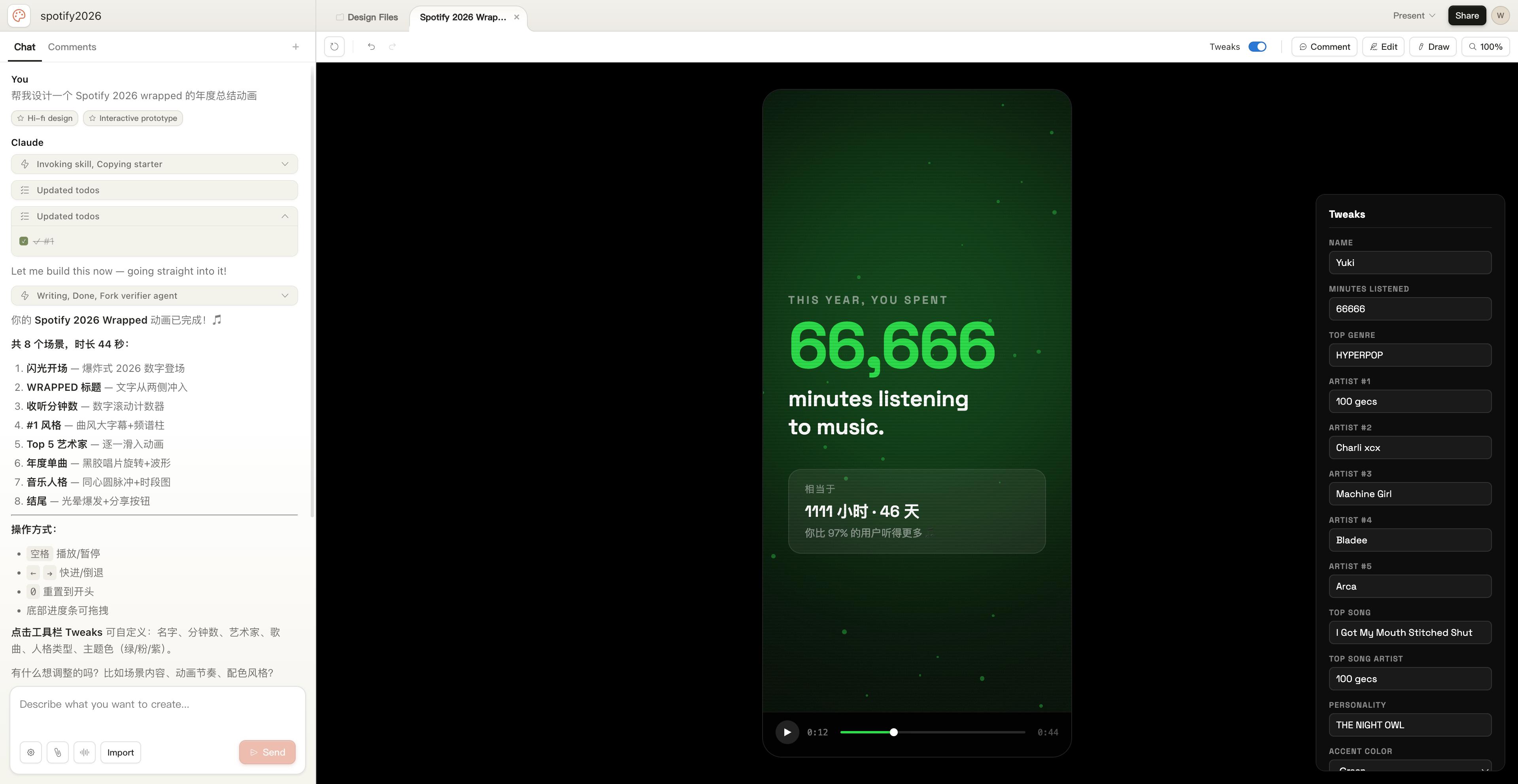
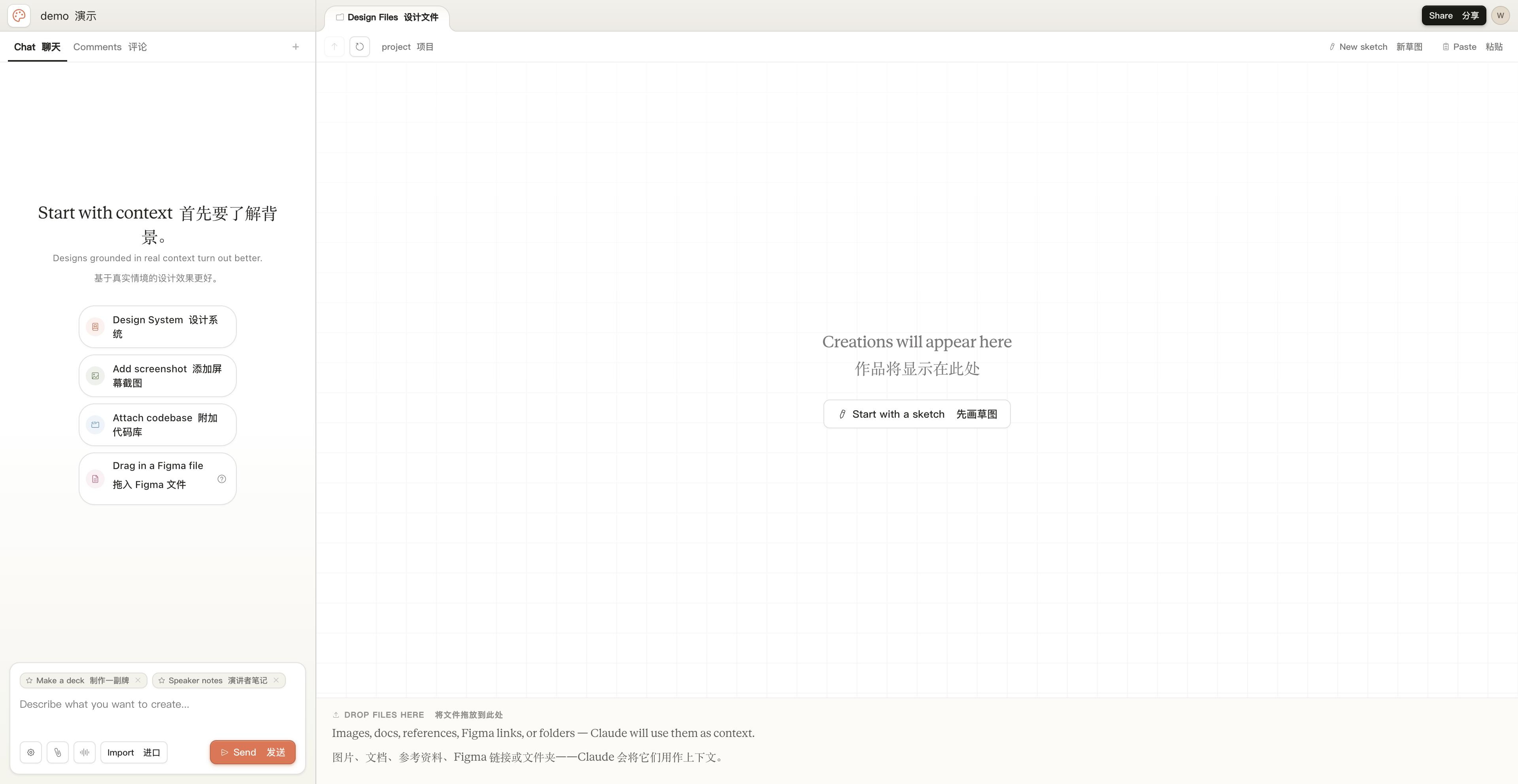 We input a simple prompt, “Help me design an annual summary animation for Spotify 2026,” and after Claude completed the process, it generated a 44-second animation, including annual artists, music styles, and listening duration, with Tweak options for direct modifications.
 During the PPT creation test, we sent a simple prompt, and Claude generated a questionnaire for us to answer, determining the final PPT’s shape, such as language requirements, page count, speaker notes detail, and audience technical background.
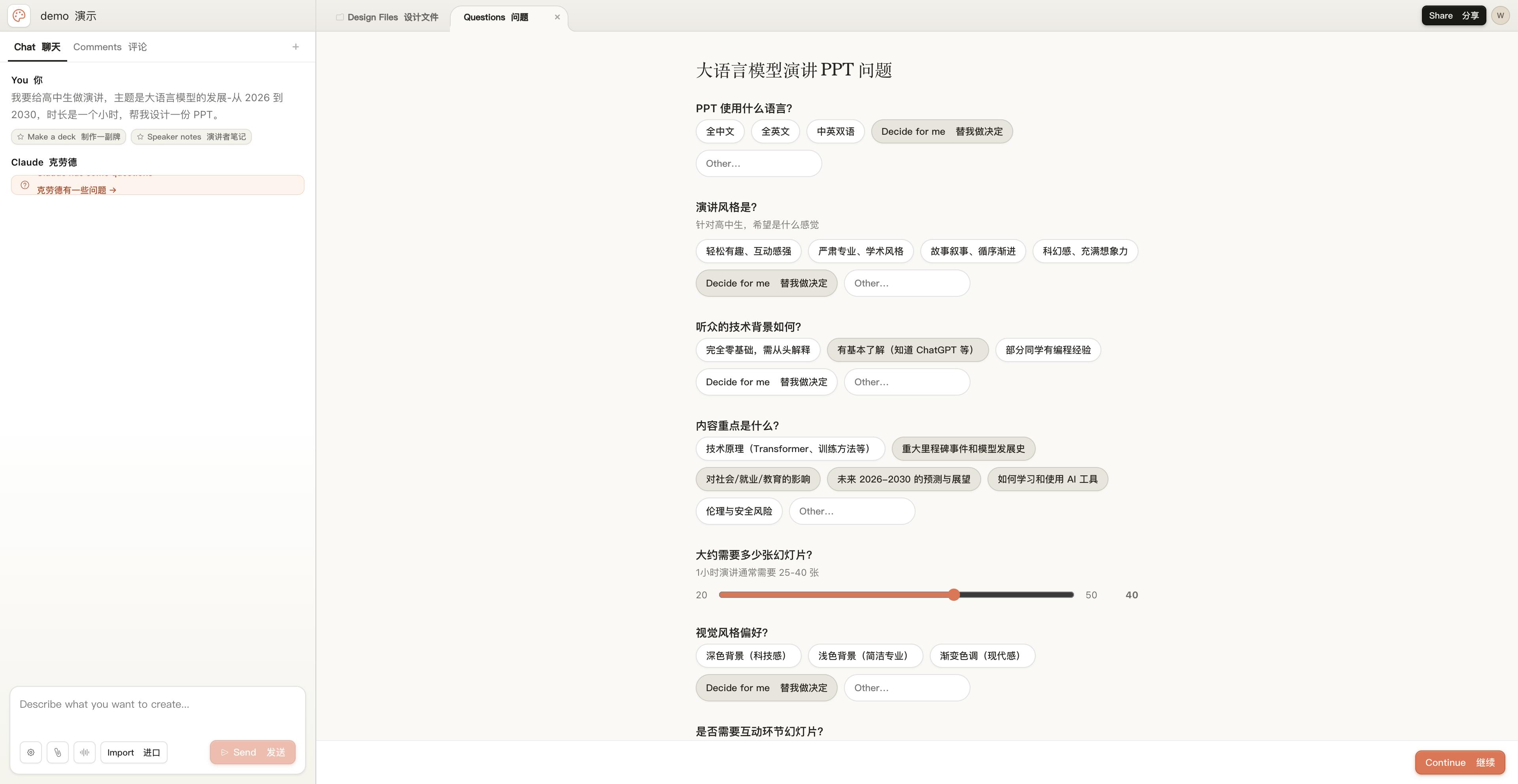 The final 40-page PPT generated by Claude Design was comprehensive, providing a script at the bottom and allowing modifications to themes, color schemes, and font sizes.
 Prompt: I want to give a presentation to high school students on the development of large language models from 2026 to 2030, lasting one hour. Help me design a PPT.
Claude Design’s designer Ryan Mather also shared useful tips for maximizing Claude Design’s potential on X:
- Build your design system and core interface. Spending an hour setting it up is worthwhile.
- Iterate in real-time with engineers. Often, new features can be designed during a single meeting, keeping discussions high-level while brainstorming concepts and constraints.
- Use comment tools for quick, precise modifications. After completing a rough draft, it can be challenging to describe all adjustments, so using comments to point out changes is effective.
- Let Claude create video presentations for your ideas. Claude Design can accomplish almost anything we can think of, functioning more like Claude Code than a canvas-based design tool.
- Use connectors (especially docs/slack). Once set up, prompts like “Please read the minutes from the product meeting and create a presentation discussing different design solutions for all issues raised” can be sent.
- Have Claude instantly create custom tools. Typically, avoid using Claude Design like canvas-based tools; it operates differently with unique capabilities. Experiment and play around! You’ll discover your design approach has far surpassed past thinking.
- Know when to slow down and finish by hand. New icons, embellishing illustrations, and naming can have unexpectedly significant impacts. It’s easy to get swept up in the rapid pace of agent design. Knowing when to slow down is an art in itself.
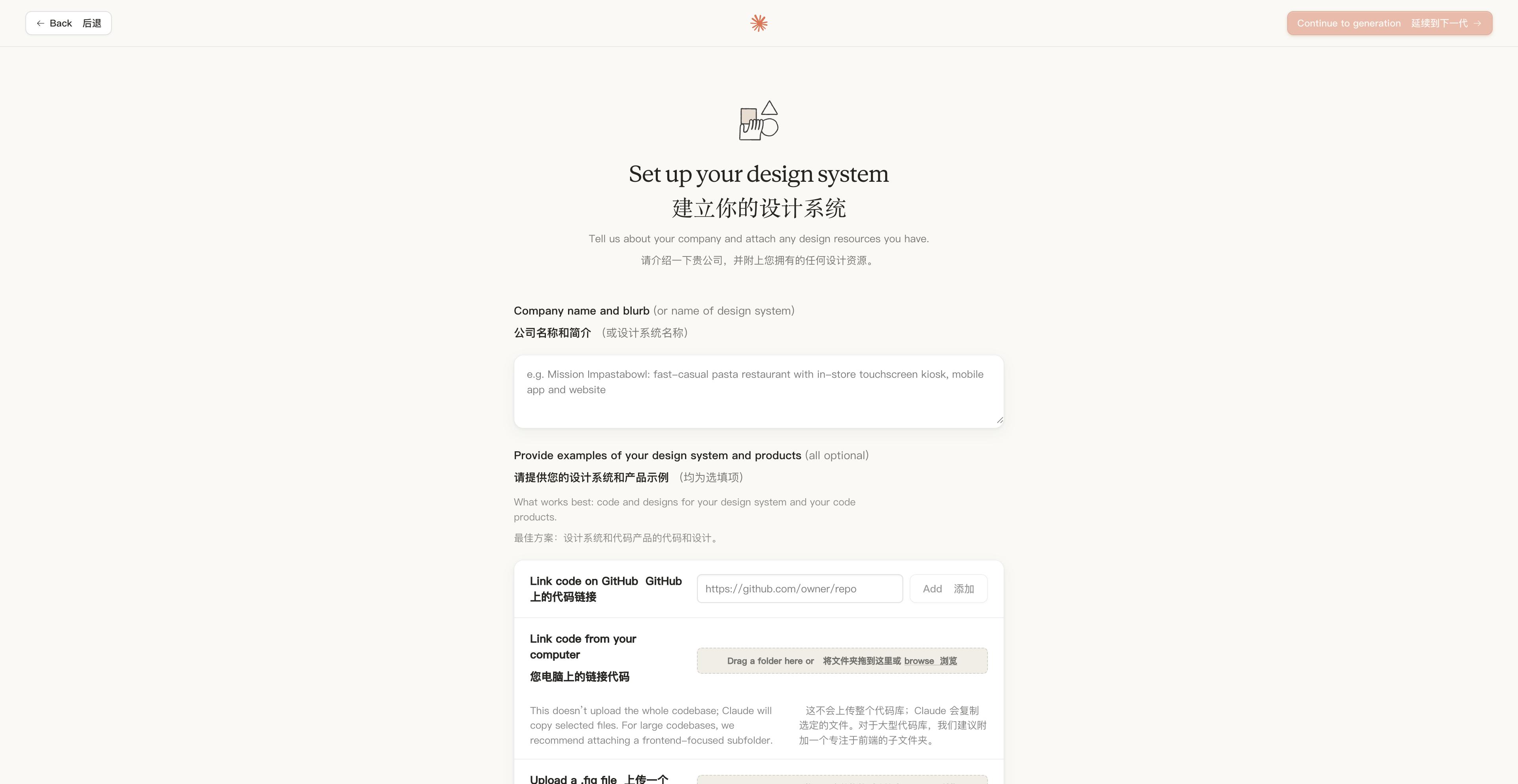 Just as every school or company has its brand guidelines for colors, fonts, logos, and imagery, Claude Design’s design system allows us to standardize these design resources in one go.
Thanks to Claude’s powerful ecosystem, Claude Design has the potential to integrate into AI workflows, fundamentally changing the issues faced by previous AI webpage generation tools, such as overly generalized outputs, neglect of existing design languages, and difficulty in team process reuse.
Comments
Discussion is powered by Giscus (GitHub Discussions). Add
repo,repoID,category, andcategoryIDunder[params.comments.giscus]inhugo.tomlusing the values from the Giscus setup tool.